ggcube lets you build 3D figures using ggplot2. Use it to create 3D surfaces, volumes, scatter plots, and complex layered visualizations using familiar ggplot2 syntax with aes(x, y, z) and coord_3d().
The package provides a variety of 3D-specific geoms to render surfaces, prisms, points, paths, and text in 3D; it also works with some standard ggplot2 layer functions. You can control plot geometry with 3D projection parameters, apply a range of 3D lighting models, and mix 3D layers with 2D layers rendered on cube faces. Standard ggplot2 features like faceting, themes, scales, and legends work as expected.
3D plots are wonderful for exploration, storytelling, and data art. But note that for precise quantitative communication, where occlusion and perspective distortion can be problematic, 2D is usually the better choice.
Installation
# You can install the package from CRAN:
install.packages("ggcube")

# Or get the development version from GitHub:
devtools::install_github("matthewkling/ggcube")
Related packages
R has several other tools for 3D visualization. ggcube is designed for users who want to stay within the ggplot2 ecosystem. Other packages offer different tradeoffs:
- plotly and rgl provide interactive 3D viewers with rotation and zoom via WebGL/OpenGL, using their own APIs.
- rayshader produces ray-traced renderings of terrain data with photorealistic lighting and shadows; it also makes 3D popups of ggplot2 figures, but not 3D ggplots per se.
- gg3D was another ggplot2 extension for 3D plotting, but is no longer actively maintained.
Quick start
The essential ingredient of a ggcube plot is coord_3d(). Adding this to a standard ggplot, and providing a z aesthetic variable, creates a 3D plot:
library(ggplot2)
library(ggcube)

# Basic 3D scatter plot
ggplot(mpg, aes(x = displ, y = hwy, z = drv, color = class)) +
      geom_point() +
      coord_3d()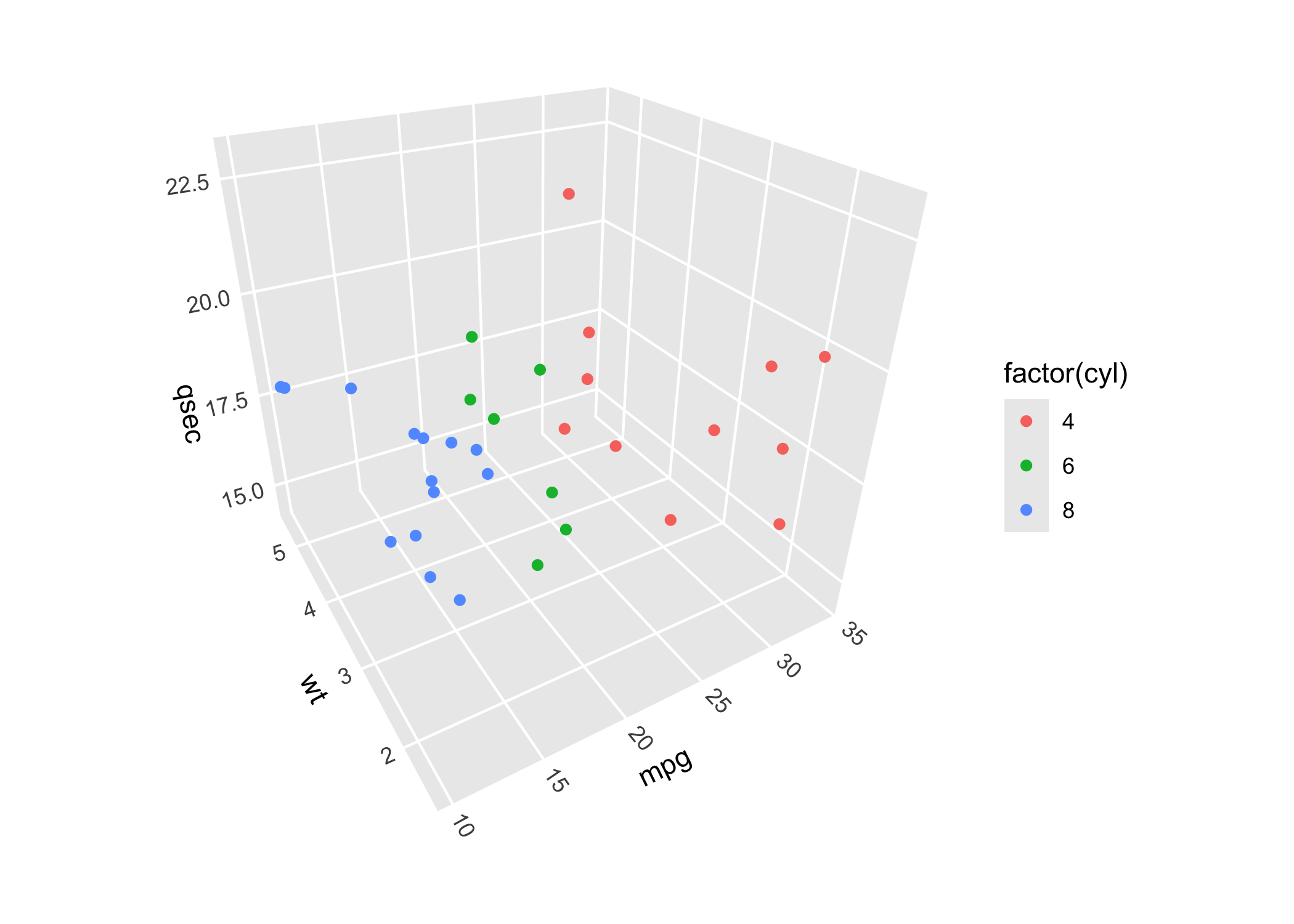
You can control plot rotation, perspective, and dimensions, as well as axis label placement and panel selection, via parameters to coord_3d(). See the 3D view article for a comprehensive guide.
ggplot(mpg, aes(displ, hwy, drv, color = class)) +
      geom_point() +
      coord_3d(pitch = 0, roll = 60, yaw = 0, dist = 1.4,
               ratio = c(2, 1, 1), panels = "all") +
      theme(panel.border = element_rect(color = "black"),
            panel.foreground = element_rect(alpha = .1))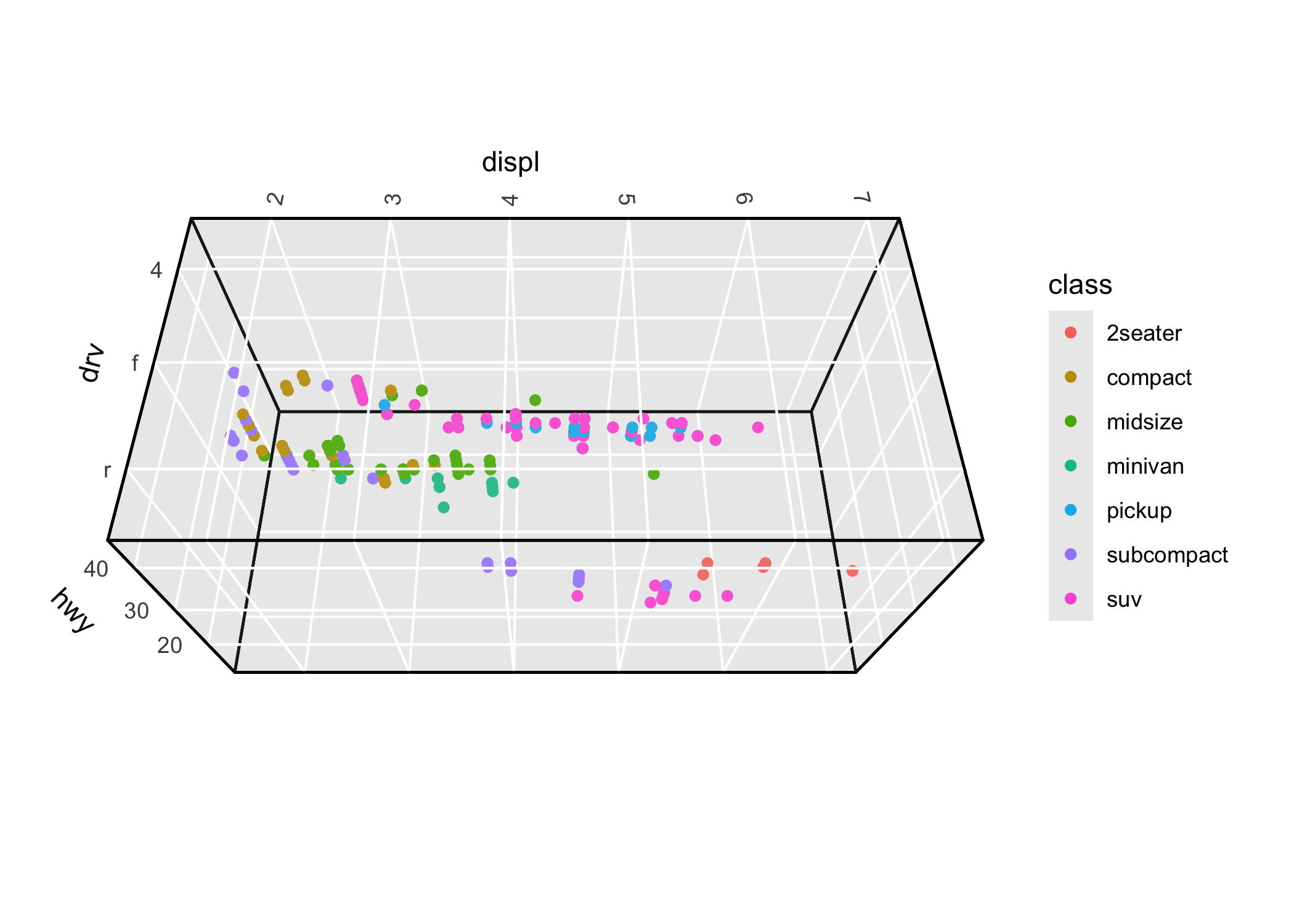
3D surfaces
-
geom_surface_3d()renders surfaces based on existing grid data such as terrain data -
geom_ridgeline_3d()renders surfaces as a series of cross-sections -
geom_contour_3d()renders surfaces as layer cakes of stacked contours -
stat_function()visualizes mathematical functions -
stat_smooth_3d()fits statistical models with two predictors and visualizes fitted surfaces with confidence intervals -
stat_density_3d()creates perspective visualizations of 2D kernel density estimates -
stat_hull_3d()plots triangulated volumes based on convex or alpha hulls of 3D points
See the surfaces article for a full guide to surface options.
Example: a terrain surface using geom_surface_3d():
ggplot(mountain, aes(x, y, z)) +
      geom_surface_3d(aes(fill = z, color = z)) +
      scale_fill_viridis_c() + scale_color_viridis_c() +
      coord_3d(ratio = c(1.5, 2, 1), expand = FALSE, panels = "zmin",
               light = light(direction = c(1, 0, 0))) +
      guides(fill = guide_colorbar_3d()) +
      theme_light()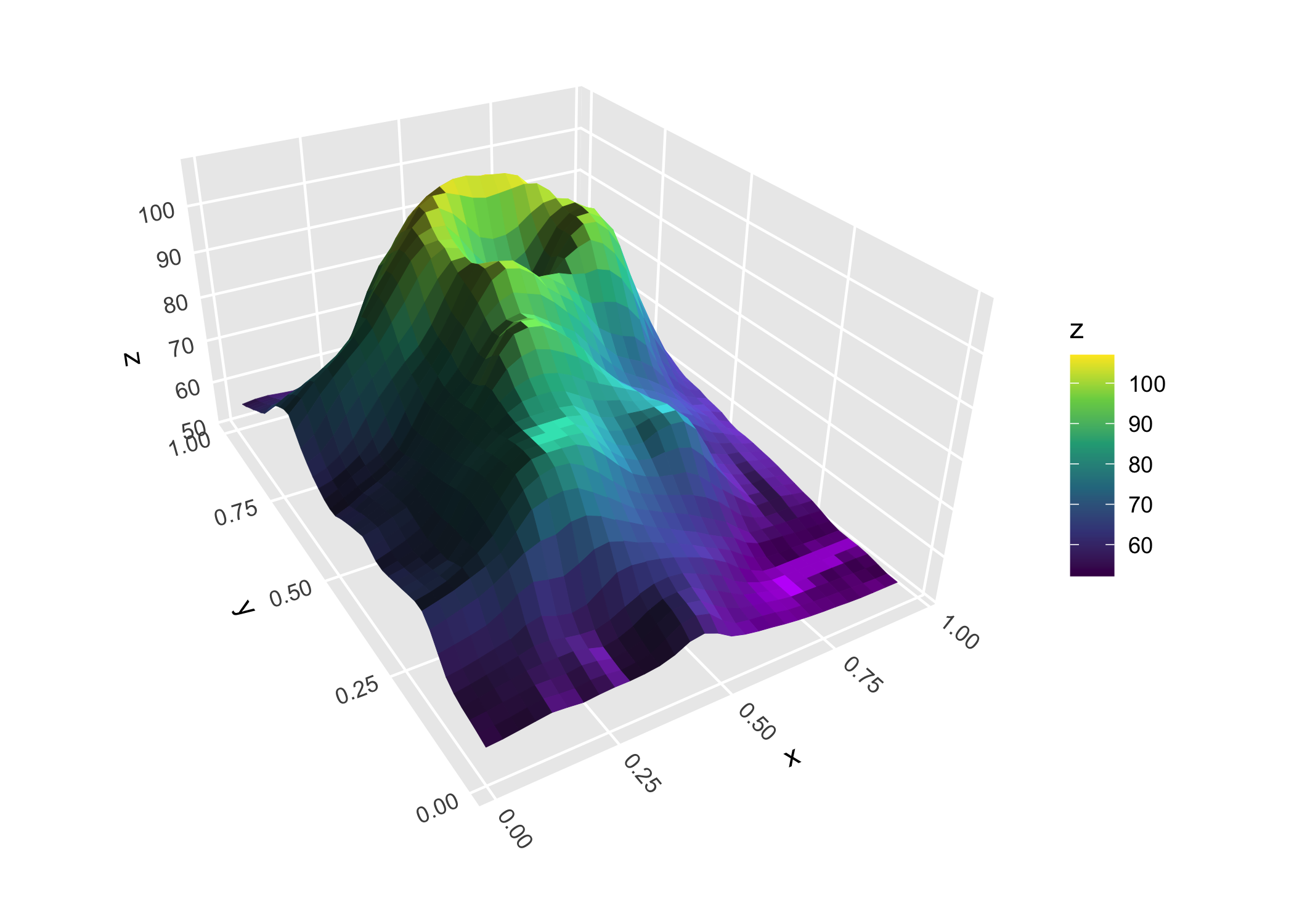
Example: a terrain surface using geom_contour_3d():
ggplot(mountain, aes(x, y, z)) +
      geom_contour_3d(fill = "black", color = "white", linewidth = .5) +
      coord_3d(yaw = 60, ratio = c(1.5, 2, 1), light = "none") +
      theme_void()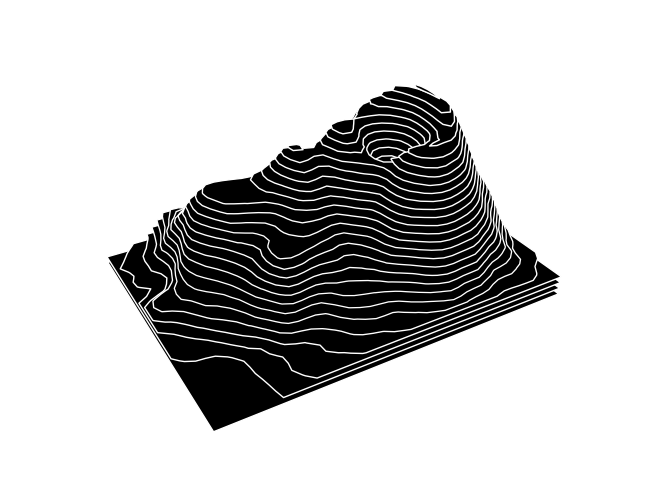
Example: a mathematical surface using geom_function_3d():
ggplot() +
      geom_function_3d(fun = function(x1, x2) cos(x1) * sin(x2),
                       xlim = c(-pi, pi), ylim = c(-2*pi, 2*pi),
                       fill = "#7a2100", color = "#b3725b",
                       grid = "right1", linewidth = .2) +
      coord_3d(yaw = 160, roll = -70,
               scales = "fixed", ratio = c(1, 1, 2)) +
      labs(x = expression(x[1]),
           y = expression(x[2]),
           z = expression(cos(x[1]) %*% sin(x[2]))) +
      theme_minimal()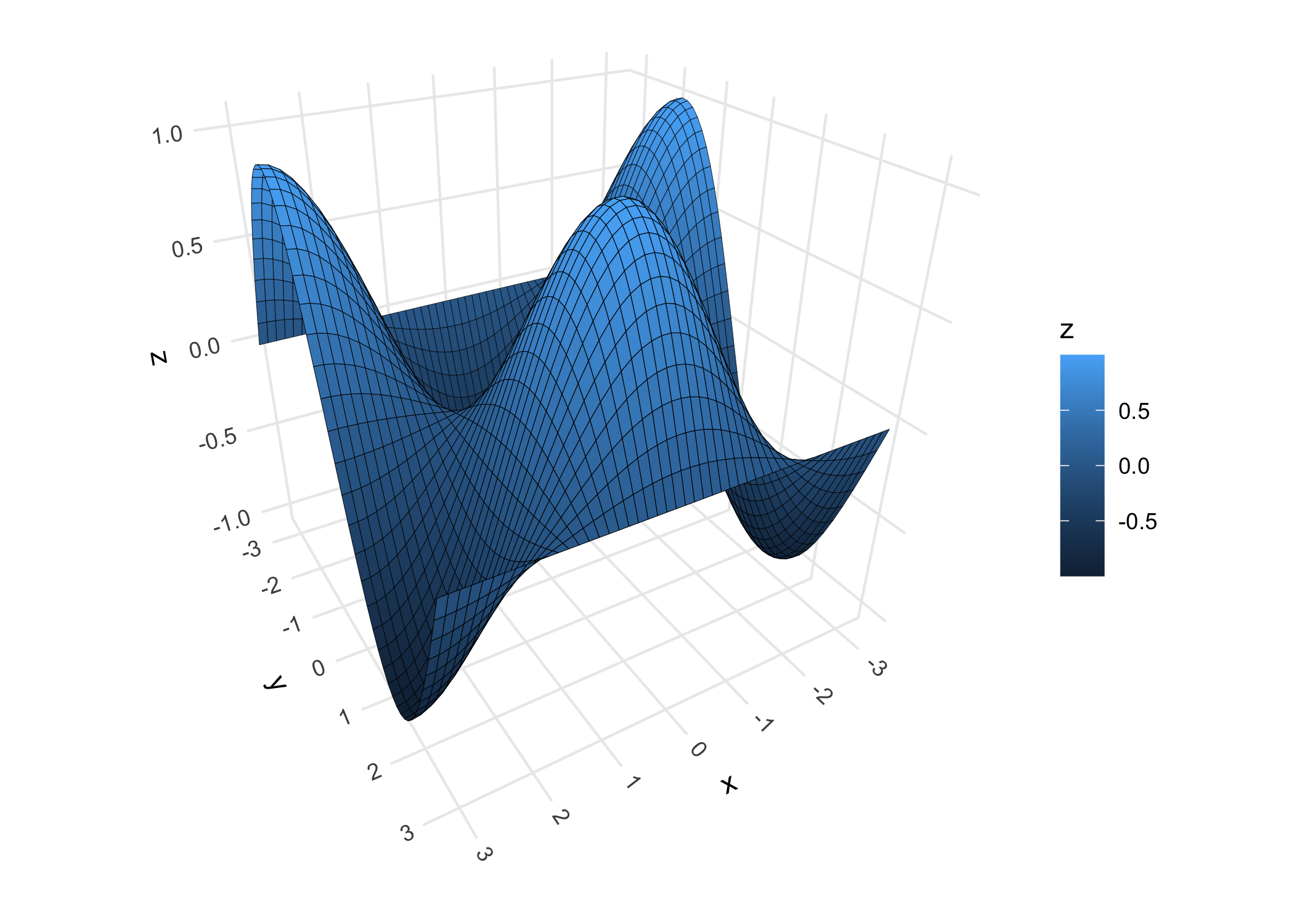
Example: a fitted model surface using geom_smooth_3d():
# Generate scattered 3D data
set.seed(123)
d <- data.frame(x = rnorm(50),
                y = rnorm(50))
d$z <- d$x + d$x^2 - d$y^2 + rnorm(50)

# Plot GAM fit with uncertainty layers
ggplot(d, aes(x, y, z)) +
      geom_smooth_3d(aes(fill = after_stat(level)),
                     method = "gam", formula = z ~ te(x, y),
                     se = TRUE, level = 0.99,
                     color = "black", grid = "equilateral") +
      scale_fill_manual(values = c("red", "darkorchid4", "steelblue")) +
      coord_3d(light = NULL)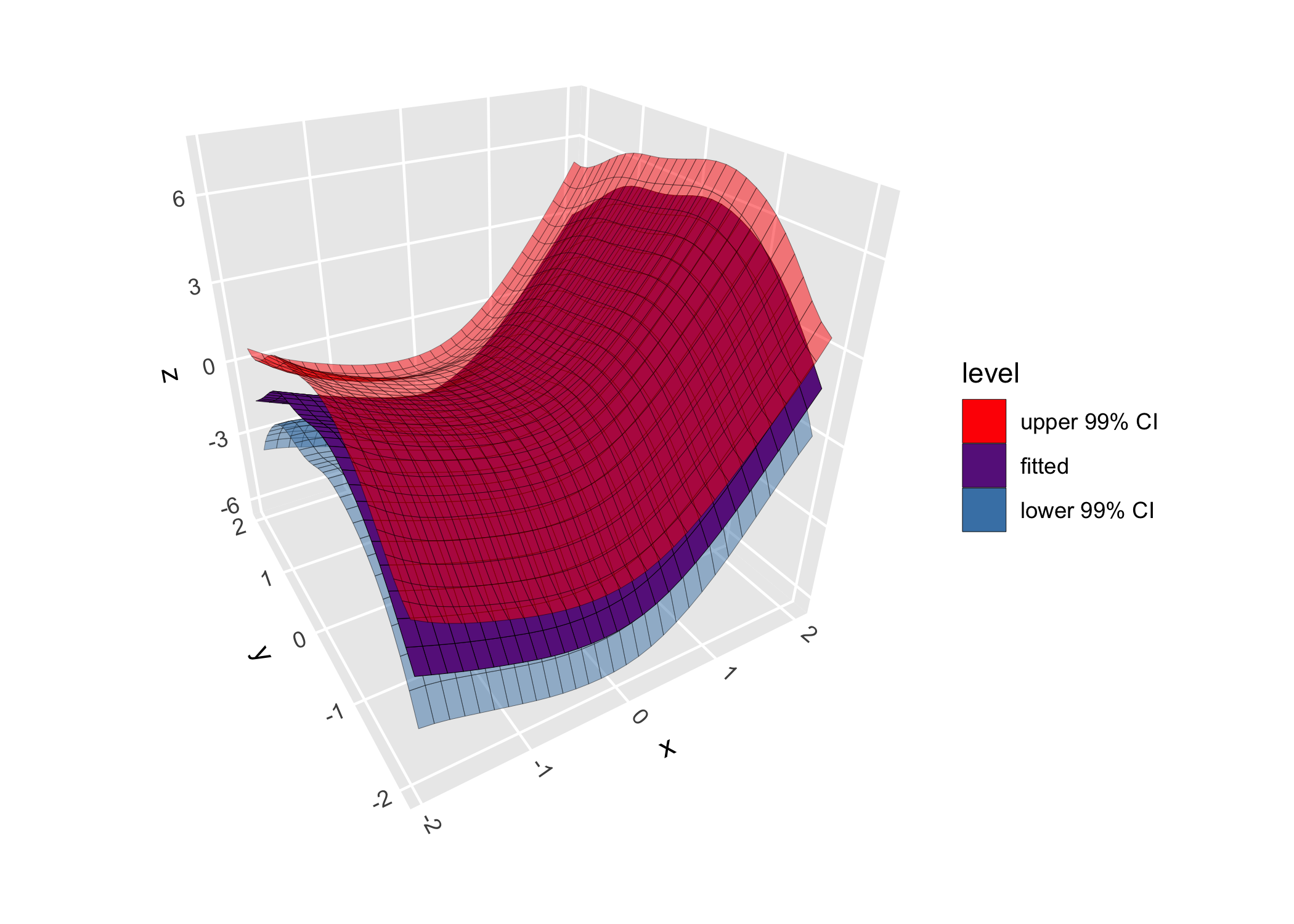
3D paths
geom_path_3d() renders paths in 3D space with depth-based sorting and scaling:
butterfly <- ggcube:::lorenz_attractor(n_points = 8000, dt = .01)
ggplot(butterfly, aes(x, y, z, color = time)) +
      geom_path_3d(linewidth = 0.1, color = "black",
                   position = position_on_face(c("xmax", "ymax", "zmin"))) +
      geom_path_3d(linewidth = 0.3) +
      scale_color_gradientn(colors = c("blue", "purple", "red", "orange")) +
      coord_3d() +
      theme_light()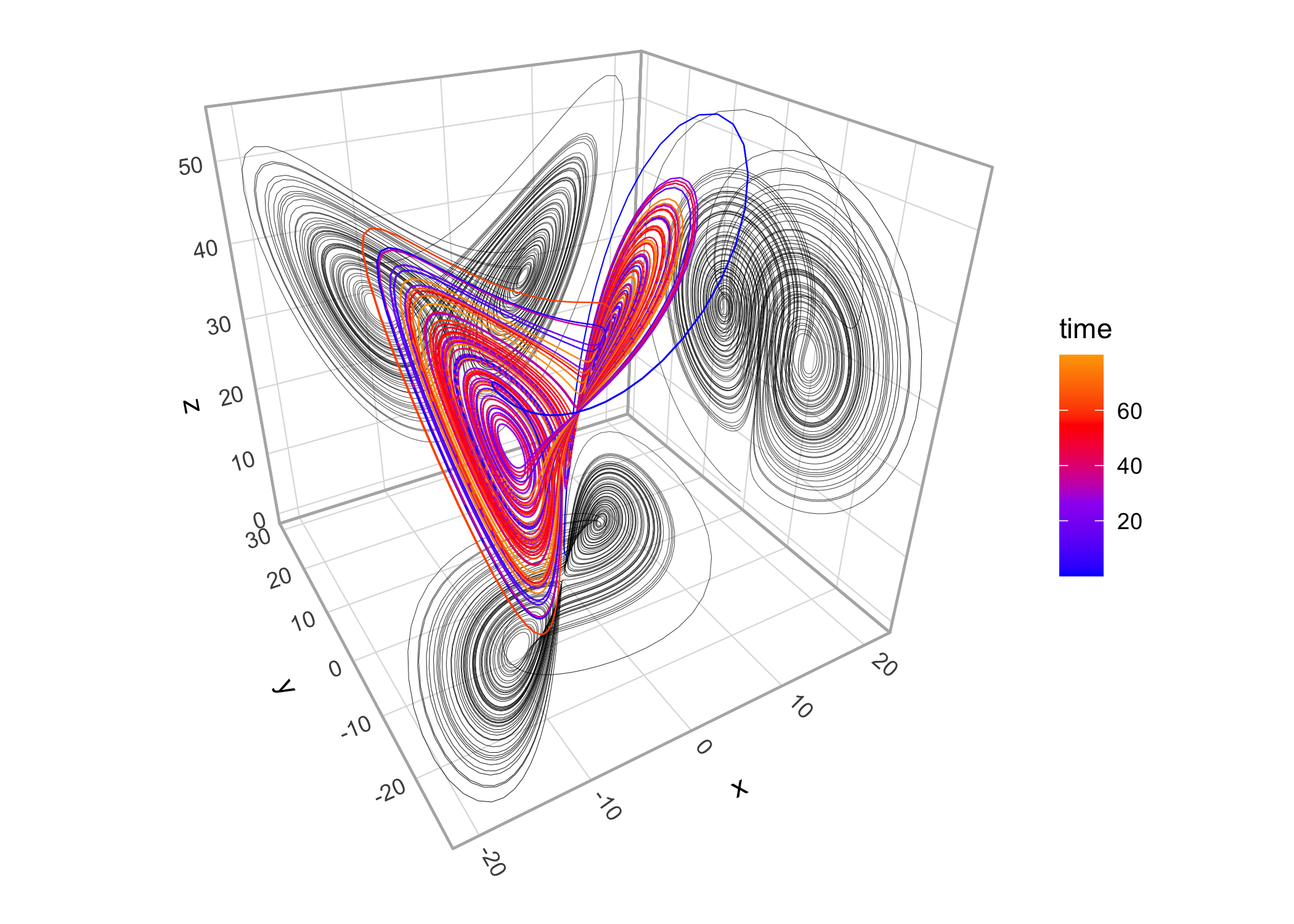
3D points
While ggplot2::geom_point() works with ggcube as demonstrated above, geom_point_3d() creates 3D-aware scatter plots with proper point ordering, depth-scaled point sizes, and options to include reference lines and reference points projecting 3D points onto 2D face panels:
ggplot(mpg, aes(x = displ, y = hwy, z = drv, fill = class)) +
      geom_point_3d(size = 3, shape = 21, color = "black", stroke = .1,
                    ref_lines = TRUE, ref_points = TRUE,
                    ref_faces = c("ymax", "xmax")) +
      coord_3d()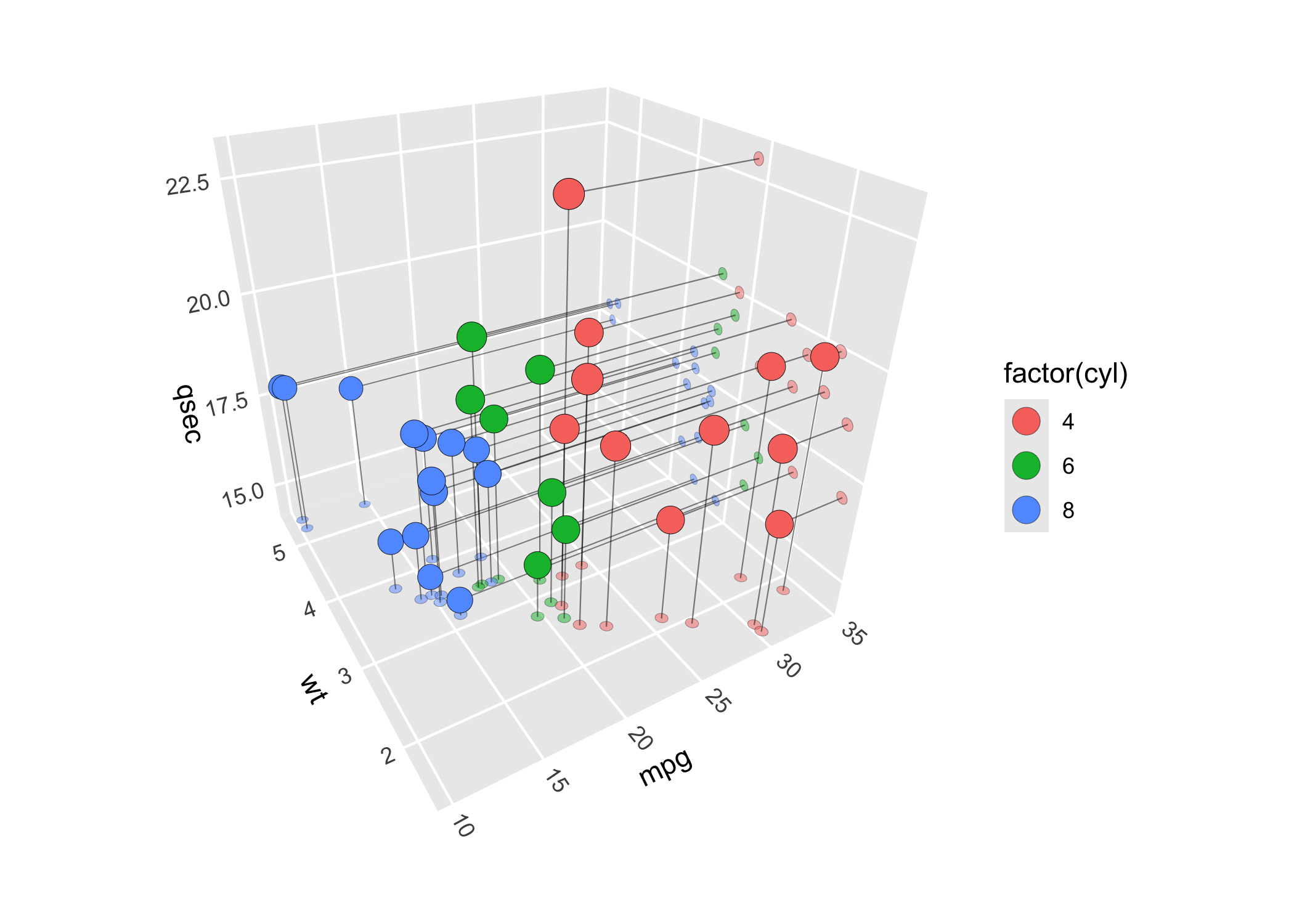
3D prisms
-
geom_col_3d()produces 3D column charts -
geom_bar_3d()creates 3D histograms of 2D discrete or continuous variables -
geom_voxel_3d()renders sparse 3D pixel data as arrays of cubes
Example: a 3D histogram using geom_bar_3d():
ggplot(faithful, aes(waiting, eruptions)) +
      geom_bar_3d(fill = "steelblue", color = "steelblue",
                  bins = 15, width = .9) +
      coord_3d(yaw = 60) +
      scale_z_continuous(expand = c(0, 0))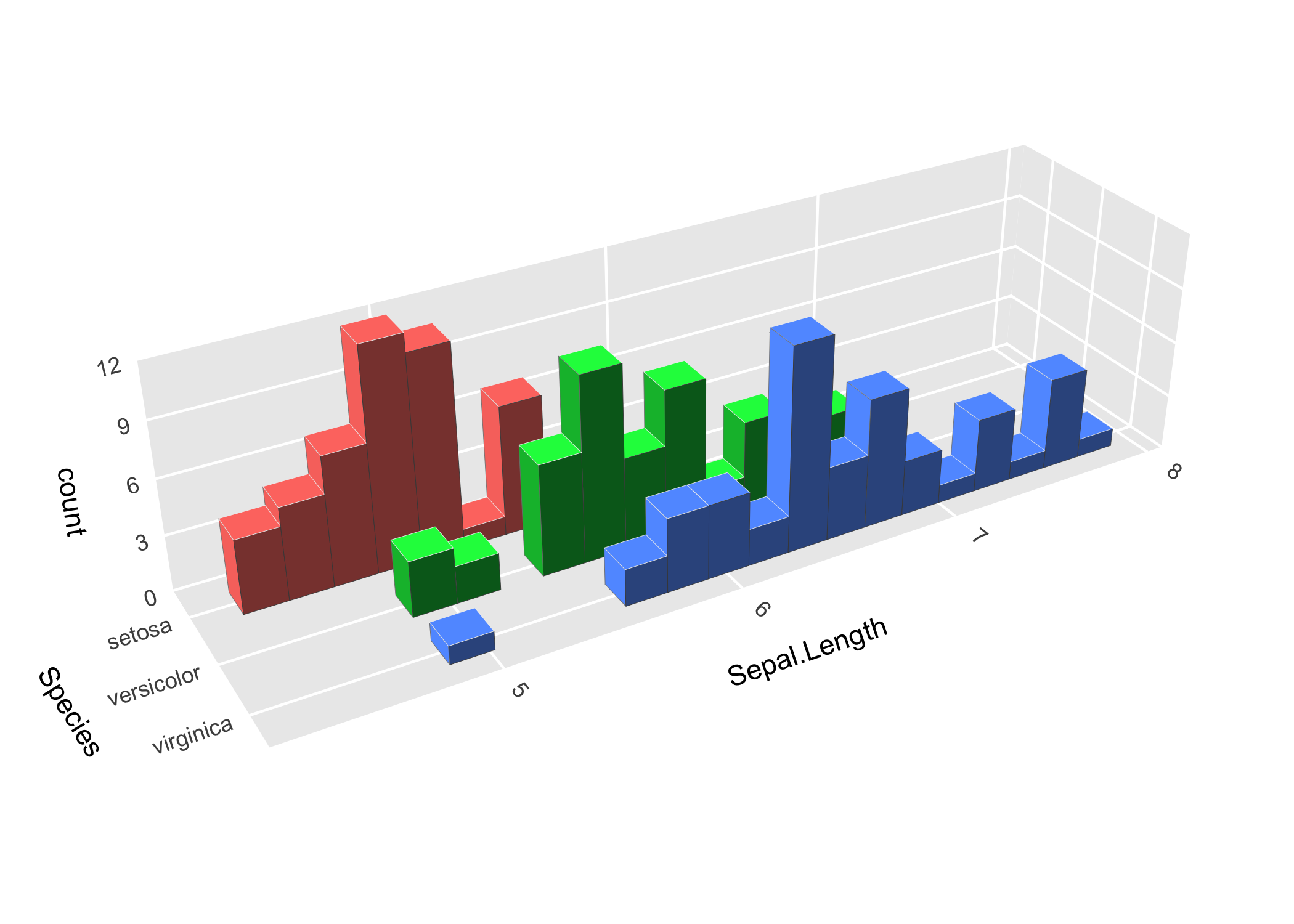
3D text
geom_text_3d() creates 3D-aware text, rendered either as “billboard” text that faces the viewing plane or as 3D polygons that can face any direction:
df <- expand.grid(x = c("B", "H", "N"), y = c("a", "o", "u"), z = c("g", "t"))
df$label <- paste0(df$x, df$y, df$z)
ggplot(df, aes(x, y, z, label = label, fill = x)) +
      geom_text_3d(method = "polygon", facing = "zmax",
                   size = 5, weight = "bold") +
      coord_3d(scales = "fixed", rotate_labels = FALSE) +
      theme(axis.title = element_blank())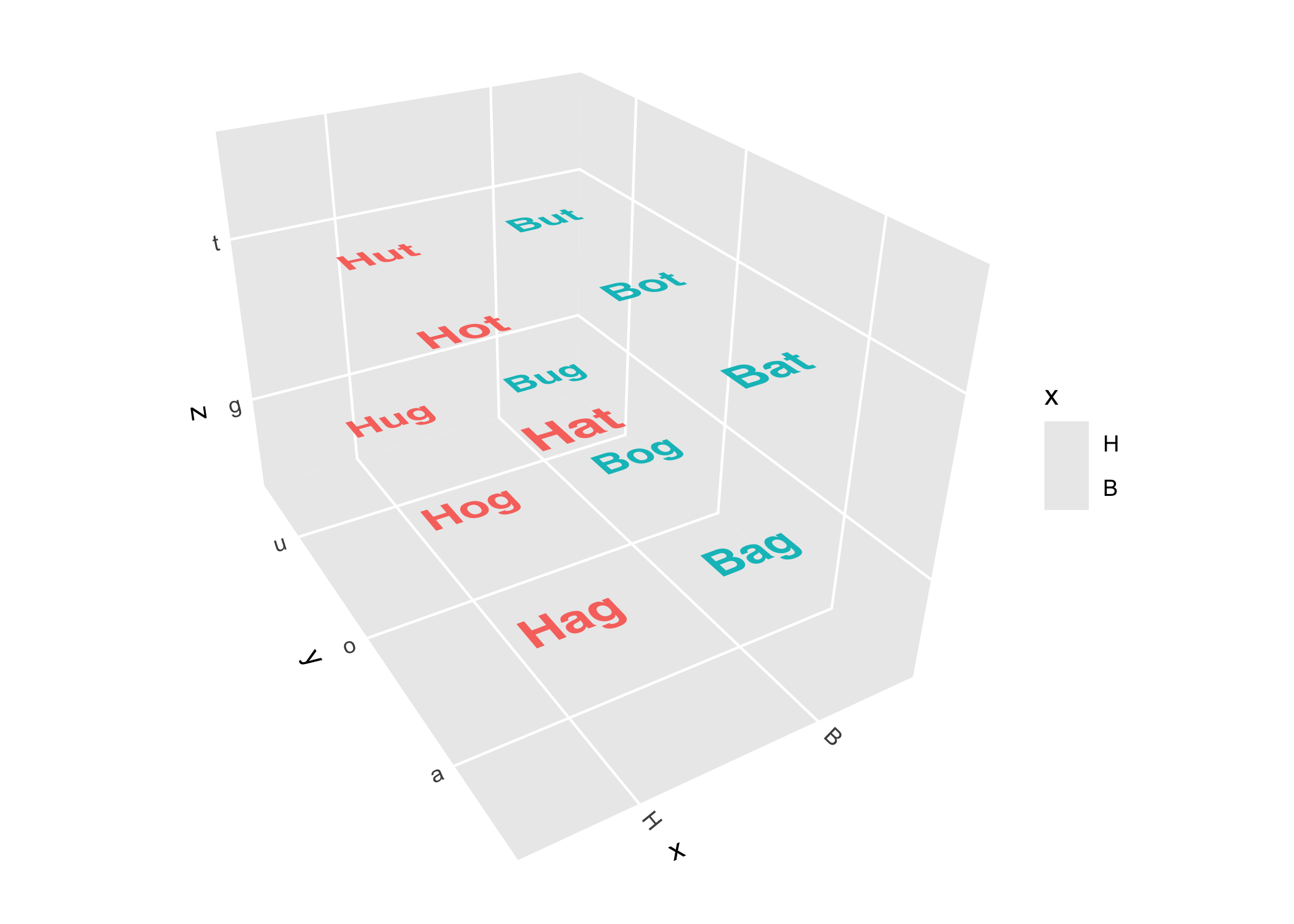
Lighting effects
Lighting of 3D polygon layers is controlled by adding a light() specification to the plot, or providing to the light parameter of a layer function or coord_3d(). See the lighting and shading article for a comprehensive guide.
ggplot(sphere_points, aes(x, y, z)) +
      coord_3d(scales = "fixed") +
      scale_fill_viridis_c() +
      scale_color_viridis_c() +
      theme_dark() +
      theme(legend.position = "none") +

      # apply shading to solid color/fill
      geom_hull_3d(fill = "#8a2900", color = "#8a2900",
                   light = light(method = "direct", mode = "hsl",
                                 direction = c(0, 0, 1))) +

      # apply shading to aesthetic color/fill
      geom_hull_3d(aes(x = x + 2.5, fill = x, color = x),
                   light = light(method = "diffuse", mode = "hsv",
                                 direction = c(0, 0, 1), contrast = 2)) +

      # map surface orientation to 3D RGB color channels
      geom_hull_3d(aes(x = x + 5),
                   light = light(method = "rgb", direction = c(1, 0, -1)))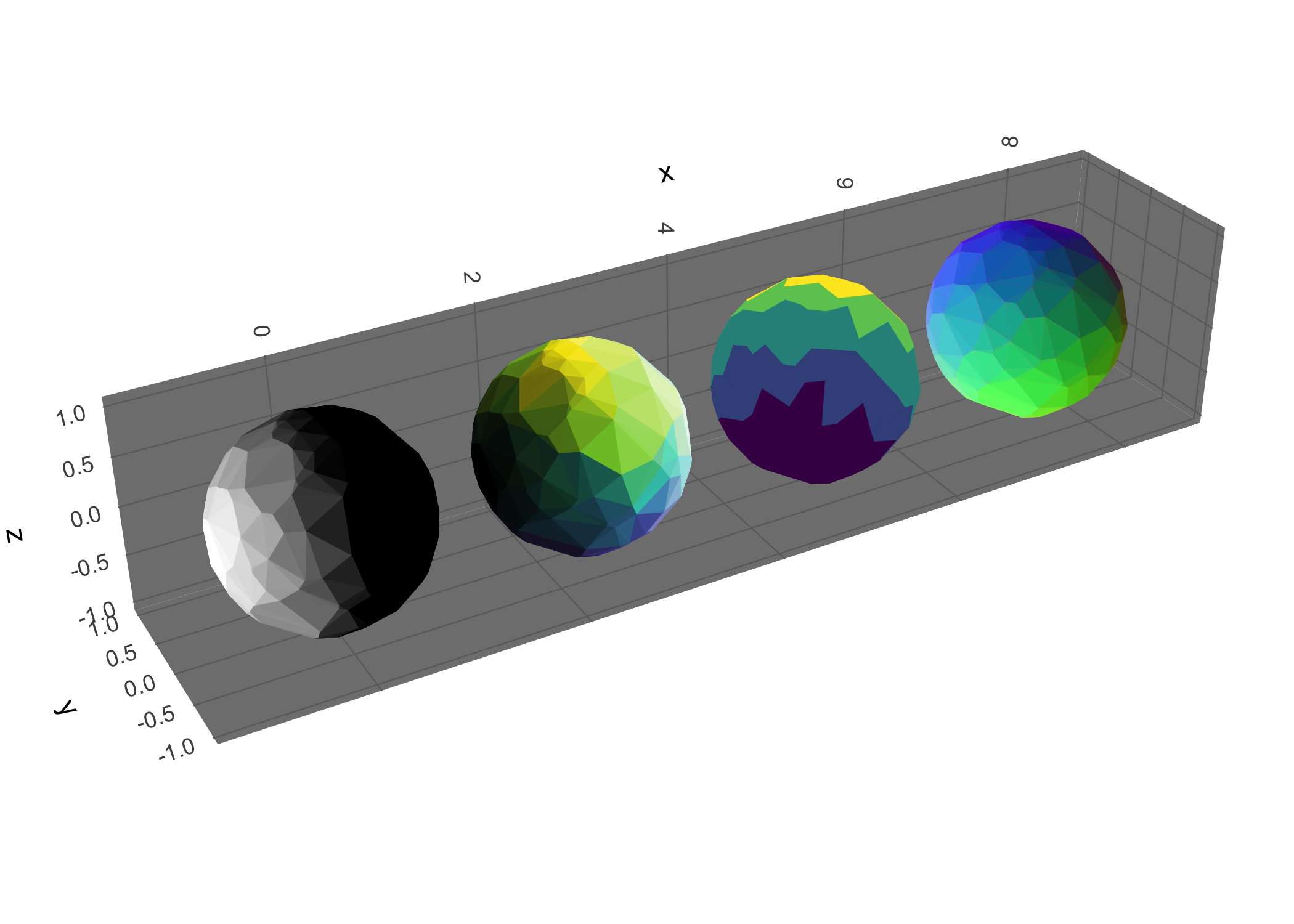
Animation and interaction
A major limitation of 3D figures is that you can’t get a full view of the data from any single angle. One way to mitigate this is by rotating the figure to view the data from different directions. ggcube offers animated rotation via animate_3d(), and interactive drag-to-rotate plots via orbit_3d(). See the animation and interaction article for details. Here’s an example of a rotating gif:
mammoth <- data.frame(do.call(rbind, rjson::fromJSON(
  file = paste0("https://raw.githubusercontent.com/PAIR-code/",
                "understanding-umap/master/raw_data/mammoth_3d_50k.json")
)))
colnames(mammoth) <- c("Y", "X", "Z")

p <- ggplot(mammoth, aes(X, Y, Z)) +
      geom_hull_3d(method = "alpha", radius = 8,
                   fill = "darkred", color = "darkred") +
      light(mode = "hsl", direction = c(-1, 1, 0), anchor = "camera") +
      coord_3d(roll = -90, scales = "fixed",
               panels = "zmin", expand = FALSE) +
      theme(axis.text = element_blank(),
            axis.ticks = element_blank(),
            axis.title = element_blank())

animate_3d(p, yaw = c(0, 360), nframes = 72, fps = 8, width = 700, cores = 8)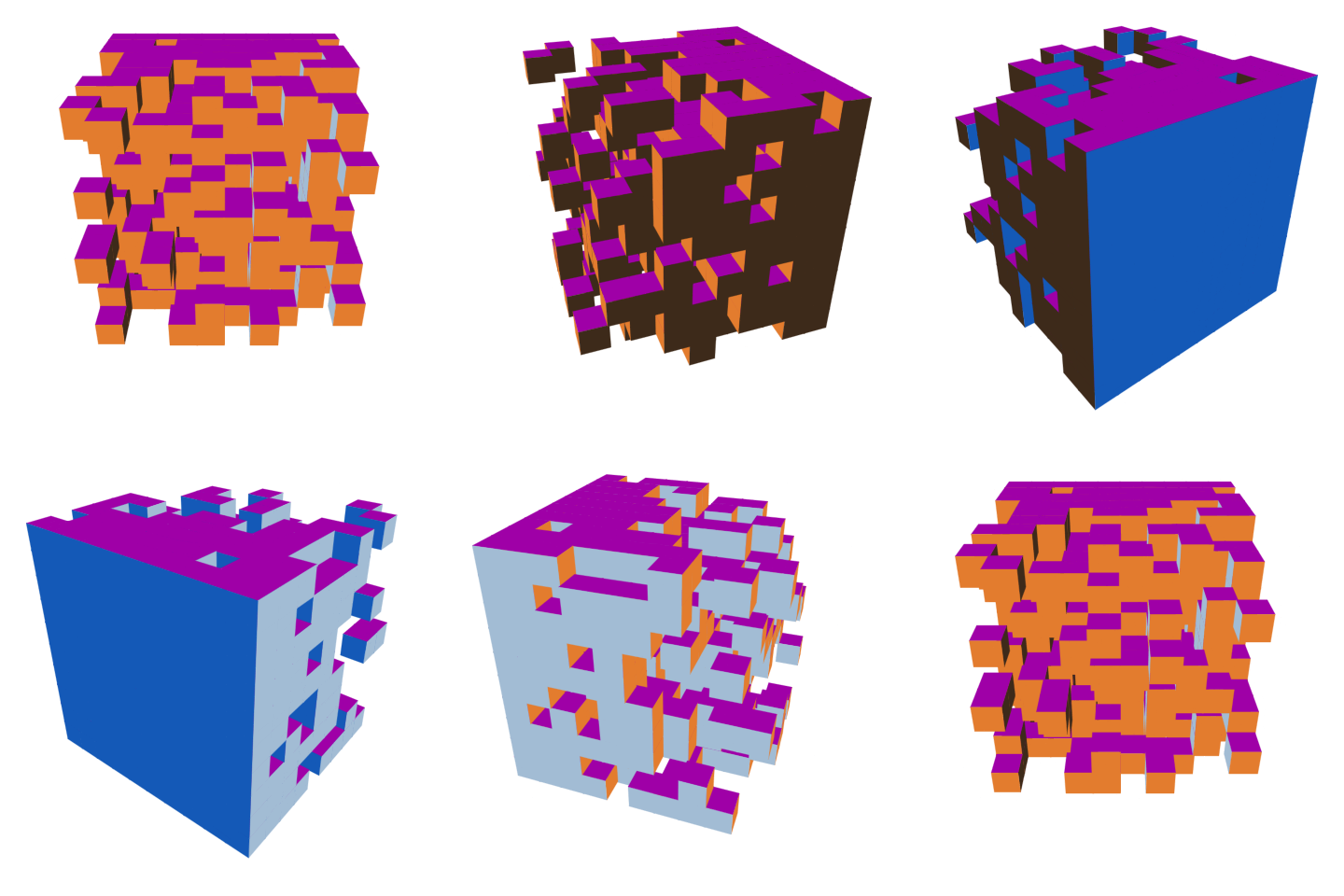
Face projection
3D and 2D layers can be mixed by using position_on_face() to project data onto 2D cube faces. We saw this in the geom_path_3d() example above, but here’s another example that mixes different geoms, including natively-2D layers like ggplot2::stat_density_2d():
ggplot(iris, aes(Sepal.Length, Sepal.Width, Petal.Length,
                 color = Species, fill = Species)) +
      coord_3d() + xlim(4, 8) +

      # place 2D density plot on zmin face
      stat_density_2d(position = position_on_face(faces = "zmin", axes = c("x", "y")),
                      geom = "polygon", alpha = .1, linewidth = .25) +

      # flatten 3D hull layer onto ymax face
      geom_hull_3d(position = position_on_face("ymax"), alpha = .5) +

      # flatten 3D voxels onto xmax face to create 2D bins
      geom_voxel_3d(aes(round(Sepal.Length), round(Sepal.Width), round(Petal.Length)),
                    position = position_on_face("xmax"), alpha = .15, light = NULL) +

      # 3D scatter plot (added last so it renders in front)
      geom_point_3d( shape = 21, color = "black", stroke = .25)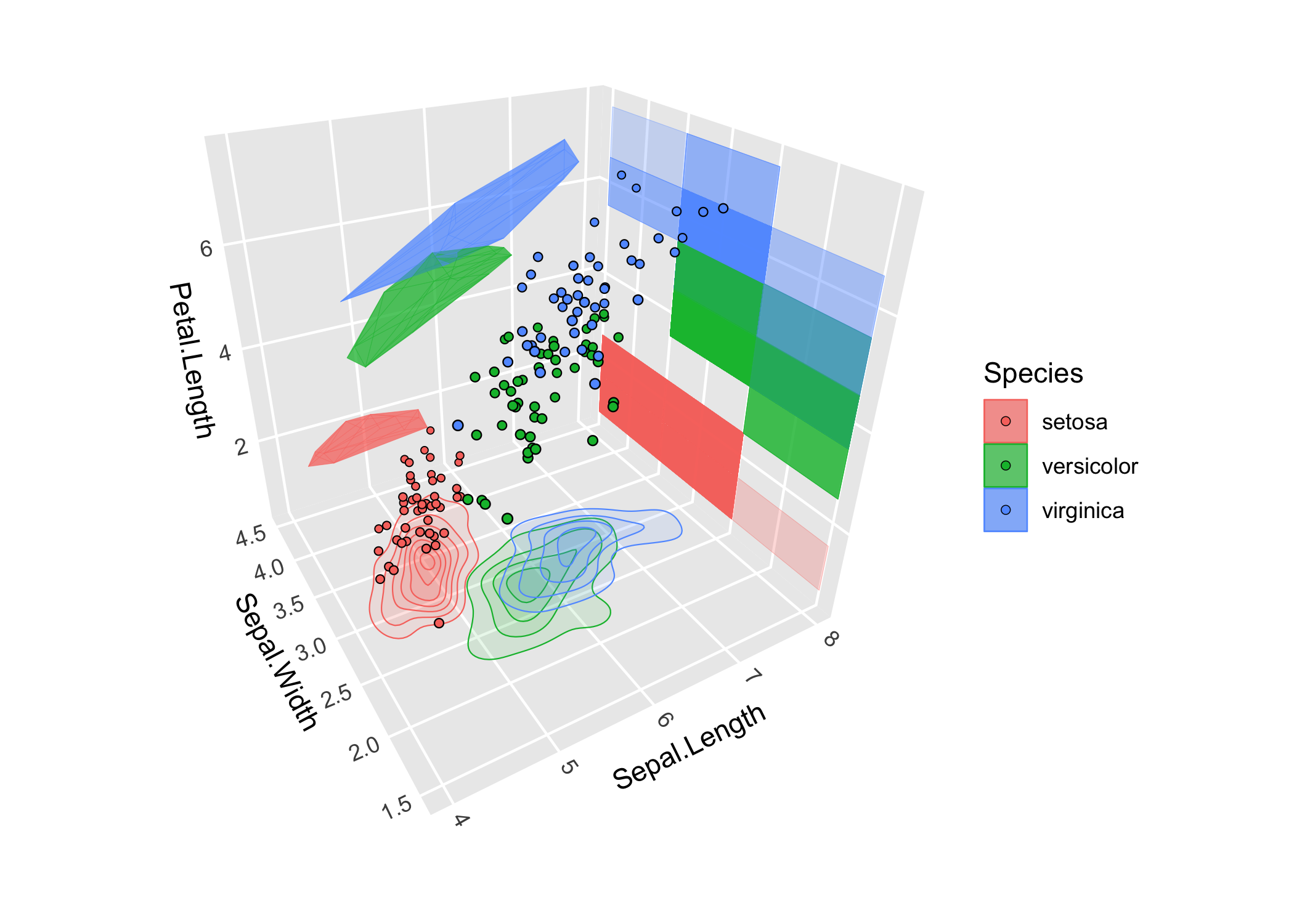
Learn more
- The getting started vignette gives a tour of the main features.
- The 3D view, surfaces, and lighting and shading articles go deeper on those topics.
- The function reference documents every exported function.