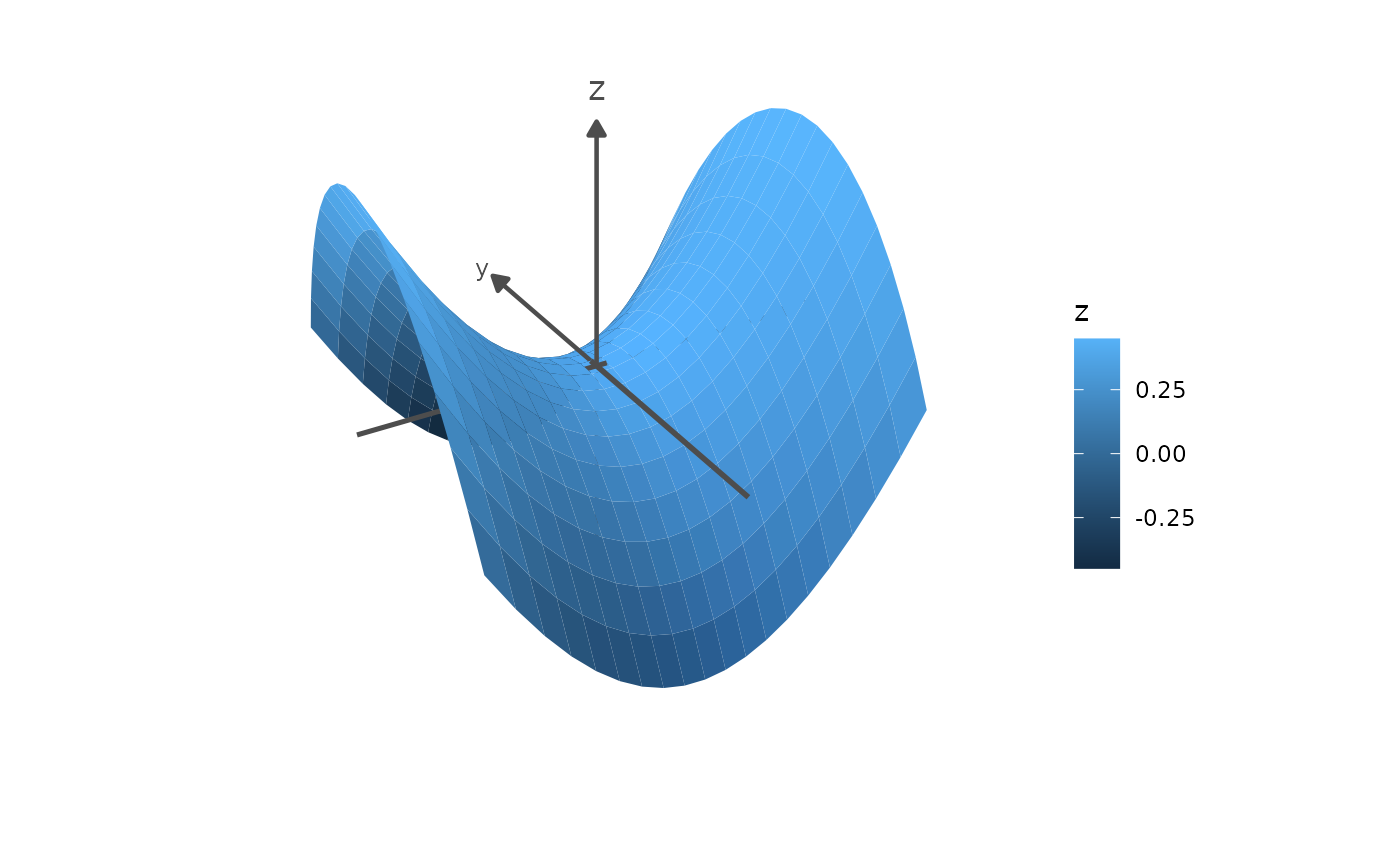
annotate_3d() adds annotations to a plot: points, text labels, segments,
polygons, axes, reference lines, or planes, at positions given as
parameters rather than mapped from data. It works like
ggplot2::annotate(), but builds a ggcube layer, which is depth-sorted
together with the plot's other 3D layers, so annotations pass in front of
and behind the plot's geometry correctly.
Details
Parameters can be vectors to create several annotations of the same type in one call, with values of length 1 recycled. Annotations never inherit the plot's aesthetics or appear in legends.
Each type builds a layer with a ggcube layer function, and takes that function's parameters:
Point annotations
Uses geom_point_3d(). Requires x, y, z. Optional styling:
colour/color (default "black"), fill, size (default 2),
shape (default 19), alpha, stroke.
Text annotations
Uses geom_text_3d(). Requires x, y, z, label. Optional styling:
colour/color, size, alpha, family, fontface, hjust, vjust,
angle, lineheight. Labels are depth-sorted with the rest of the scene,
so geometry in front of a label hides it; use on_top = TRUE to draw
labels on top of everything else instead, keeping them legible wherever
they fall.
Segment annotations
Uses geom_segment_3d(). Requires x, y, z, xend, yend, zend.
Optional styling: colour/color, linewidth, linetype, alpha, and
arrow, an arrow specification created by grid::arrow(). Closed
arrowheads are filled with the segment colour, unless arrow.fill is
given. When a segment passes through a polygon and is split, its
arrowheads stay at the segment's original ends.
Polygon annotations
Uses geom_polygon_3d(). Requires x, y, z giving the polygon's
vertices in order. To draw several polygons in one call, give group, with
one value per vertex; vertices sharing a value form one polygon. Each
polygon needs at least 3 vertices. Optional styling: fill (default
"grey60"), alpha (default 0.5), colour/color for the outline
(default "grey30"), linewidth (default 0.5), linetype. Styling
values apply per polygon, so they must have length 1 or one value per
polygon, in the order the groups first appear.
Axes annotations
Uses geom_axes_3d(), which draws a line along each of the x, y, and z
axes through an origin x, y, z (default 0), spanning the panel,
with arrowheads and labels at their high ends. See geom_axes_3d() for its
parameters.
Reference line annotations
Uses geom_refline_3d(), which draws infinite lines through the point
x, y, z (default 0) in the direction dx, dy, dz, clipped to
the panel. For example, the line spanned by a vector v is
annotate_3d("refline", dx = v[1], dy = v[2], dz = v[3]), and the vertical
line at x = 1, y = 2 is annotate_3d("refline", x = 1, y = 2, dz = 1).
Plane annotations
Uses geom_plane_3d(), which draws planes clipped to the panel, given as
xintercept, yintercept, or zintercept; as intercept, slope_x,
and slope_y; or as general coefficients a, b, c, d. See
geom_plane_3d() for details.
Axes, reference lines, and planes are built from the panel's limits when the plot is drawn, so unlike the other types, they don't expand the plot's axis ranges.
Coordinates
Annotation coordinates are placed directly in the plot's (transformed)
scale space: with scale_x_log10(), for example, give x positions as
log10 values.
Examples
p <- ggplot(mountain, aes(x, y, z)) +
geom_surface_3d() +
coord_3d(ratio = c(2, 3, 1),
light = light(mode = "hsl", direction = c(-1, 0, 0)))
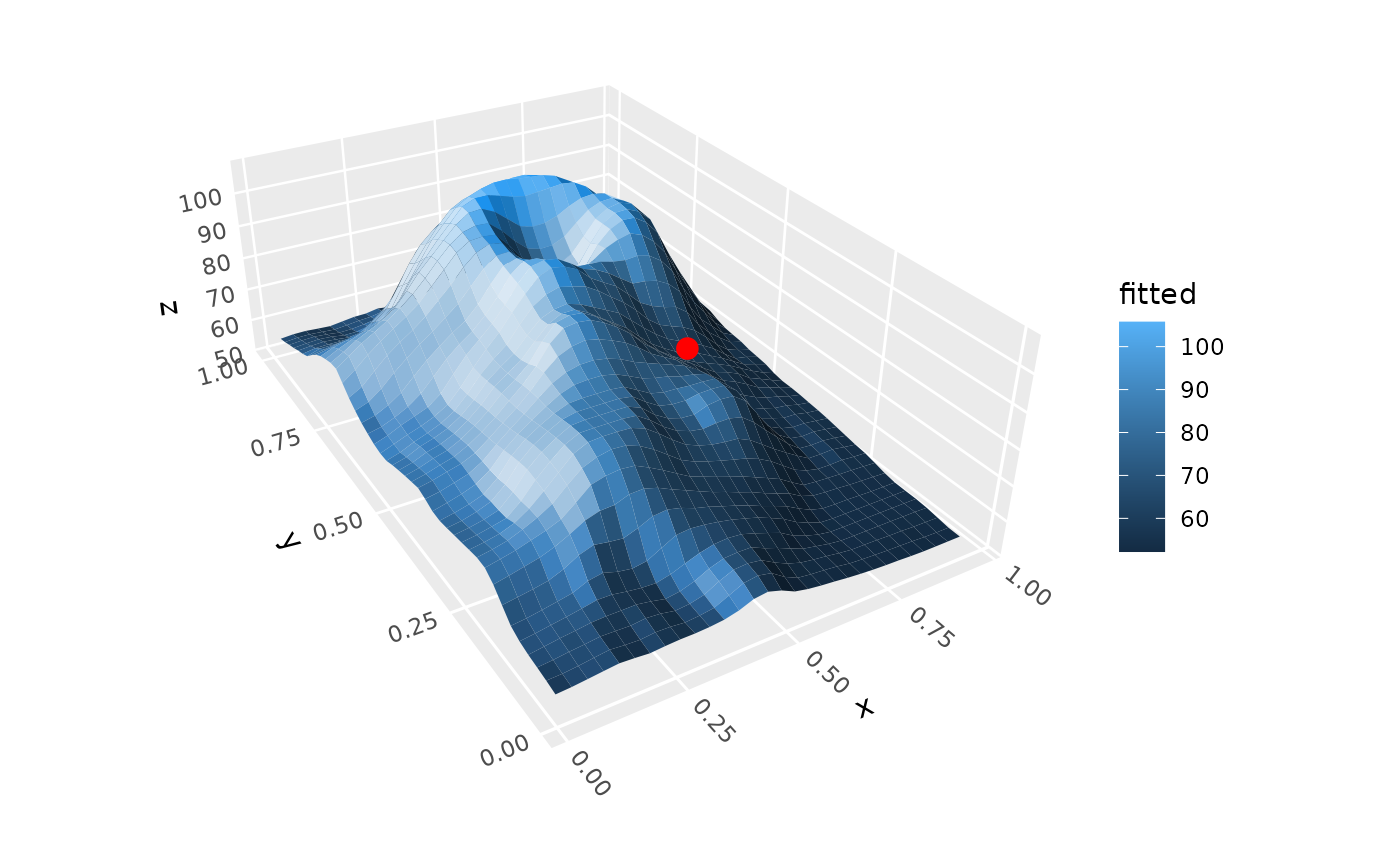
# A point, depth-sorted with the surface
p + annotate_3d("point", x = .5, y = .25, z = 100, color = "red", size = 3)
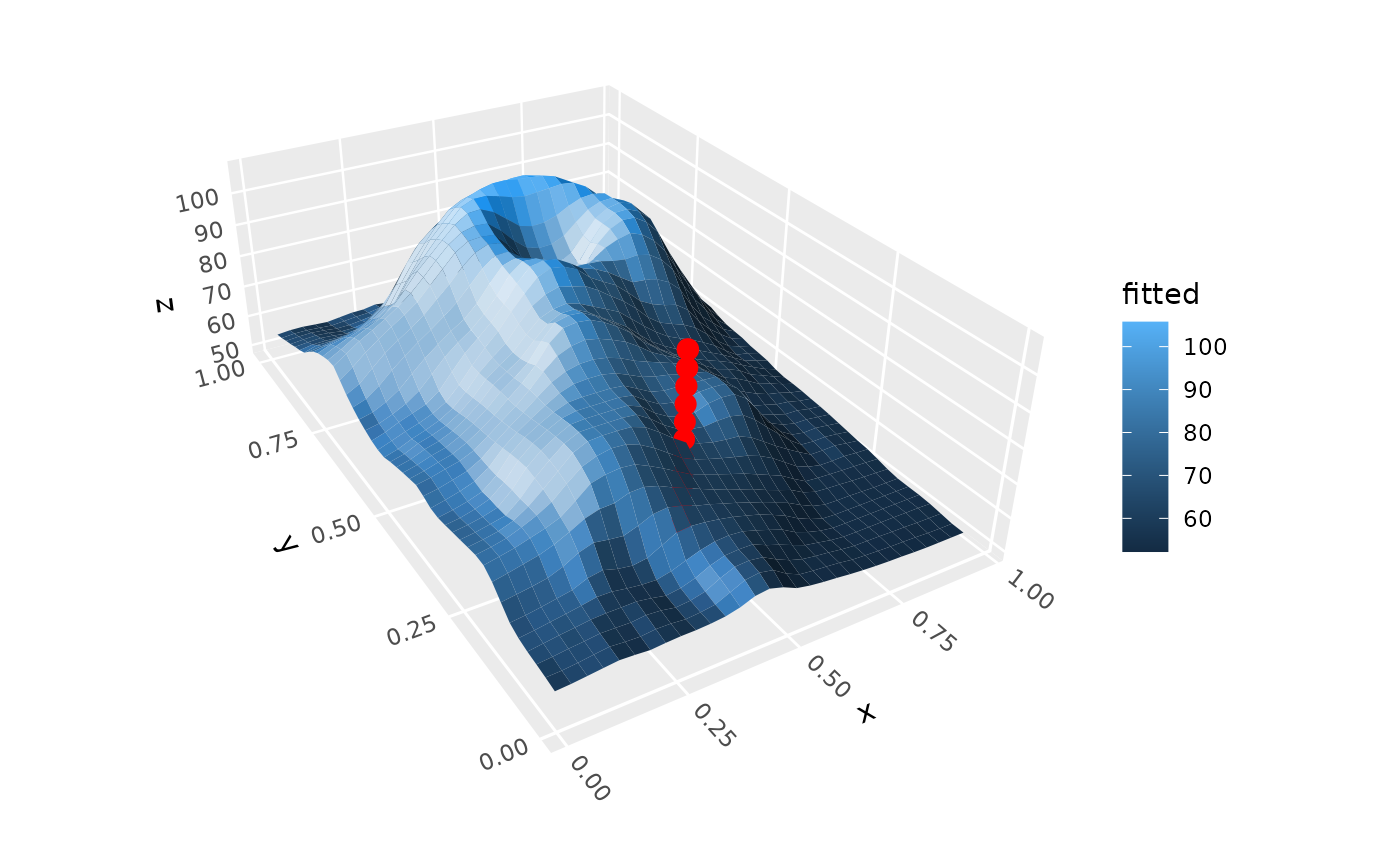
 # Vectorized: several points in one call
p + annotate_3d("point", x = .5, y = .25, z = seq(50, 100, 5),
color = "red", size = 3)
# Vectorized: several points in one call
p + annotate_3d("point", x = .5, y = .25, z = seq(50, 100, 5),
color = "red", size = 3)
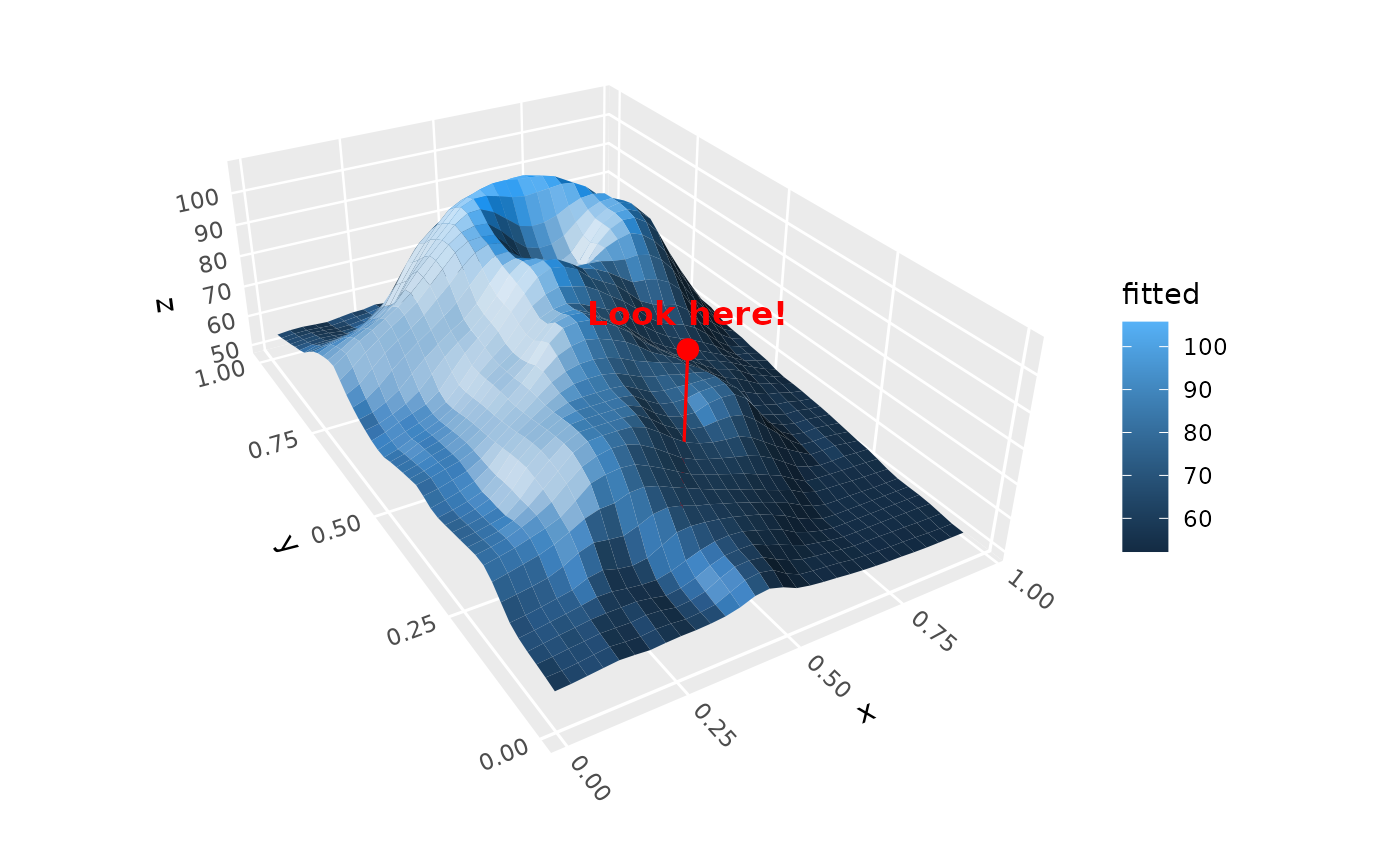
 # Several annotation types
p +
annotate_3d("segment", x = .5, y = .25, z = 100,
xend = .5, yend = .25, zend = 50, color = "red") +
annotate_3d("point", x = .5, y = .25, z = 100, color = "red", size = 3) +
annotate_3d("text", x = .5, y = .25, z = 100, label = "Look here!",
color = "red", vjust = -1, fontface = "bold", on_top = TRUE)
# Several annotation types
p +
annotate_3d("segment", x = .5, y = .25, z = 100,
xend = .5, yend = .25, zend = 50, color = "red") +
annotate_3d("point", x = .5, y = .25, z = 100, color = "red", size = 3) +
annotate_3d("text", x = .5, y = .25, z = 100, label = "Look here!",
color = "red", vjust = -1, fontface = "bold", on_top = TRUE)
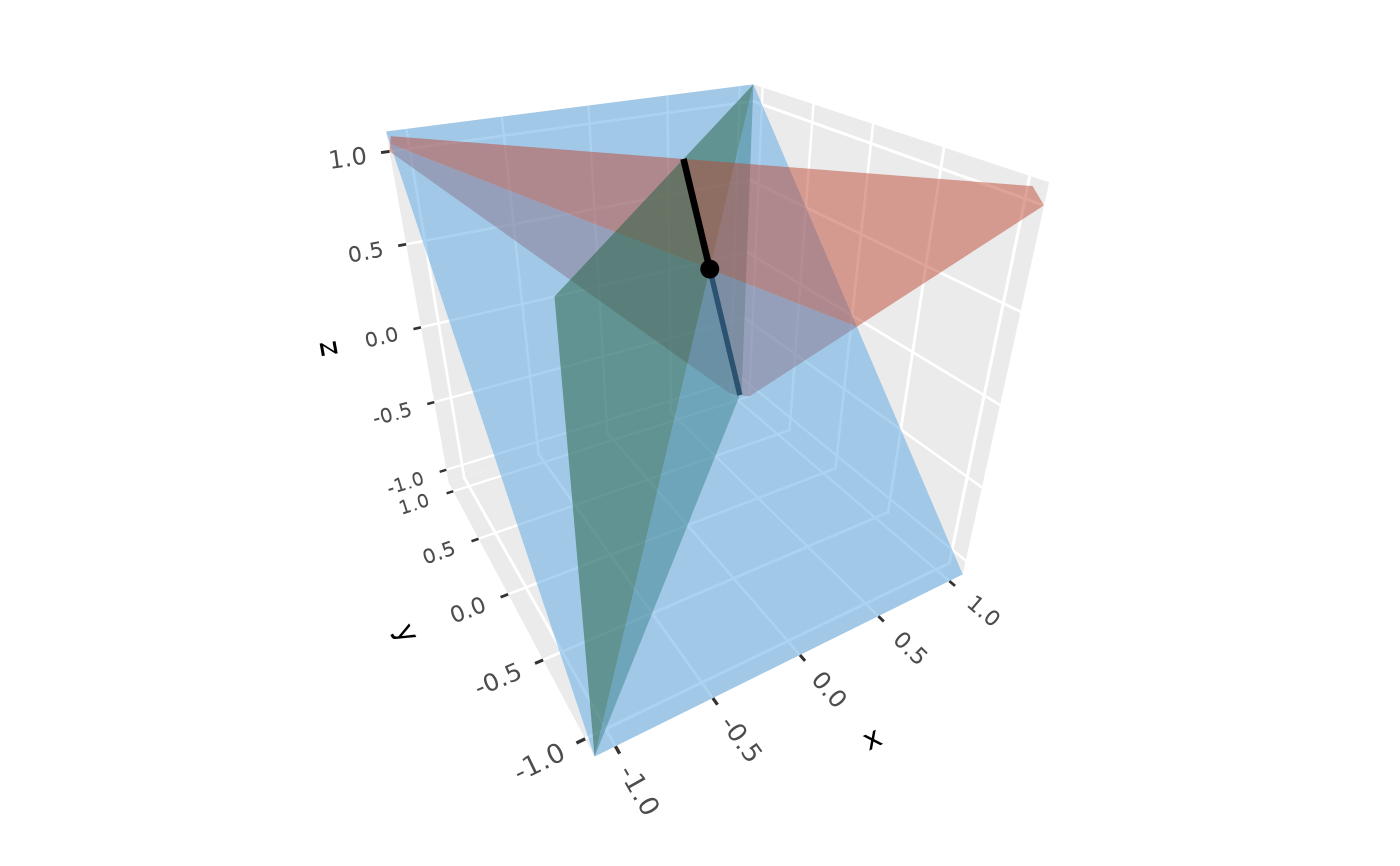
 # Planes of a linear system, meeting at its solution, and the line along
# which the first two planes intersect
A <- rbind(c(1, 1, 1), c(1, -1, 0), c(0, 1, -1))
ggplot(data.frame(x = 1/3, y = 1/3, z = 1/3), aes(x, y, z)) +
geom_point_3d(size = 3) +
annotate_3d("plane", a = A[, 1], b = A[, 2], c = A[, 3], d = c(1, 0, 0),
fill = c("tomato", "seagreen", "steelblue")) +
annotate_3d("refline", x = 1/3, y = 1/3, z = 1/3,
dx = 1, dy = 1, dz = -2, linewidth = 1) +
lims(x = c(-1, 1), y = c(-1, 1)) + zlim(-1, 1) +
coord_3d()
# Planes of a linear system, meeting at its solution, and the line along
# which the first two planes intersect
A <- rbind(c(1, 1, 1), c(1, -1, 0), c(0, 1, -1))
ggplot(data.frame(x = 1/3, y = 1/3, z = 1/3), aes(x, y, z)) +
geom_point_3d(size = 3) +
annotate_3d("plane", a = A[, 1], b = A[, 2], c = A[, 3], d = c(1, 0, 0),
fill = c("tomato", "seagreen", "steelblue")) +
annotate_3d("refline", x = 1/3, y = 1/3, z = 1/3,
dx = 1, dy = 1, dz = -2, linewidth = 1) +
lims(x = c(-1, 1), y = c(-1, 1)) + zlim(-1, 1) +
coord_3d()
 # A polygon: the triangle spanned by two vectors and the origin
u <- c(1, 0.2, 0.5); v <- c(0.3, 1, 0.8)
ggplot(data.frame(x = 0, y = 0, z = 0, xend = c(u[1], v[1]),
yend = c(u[2], v[2]), zend = c(u[3], v[3])),
aes(x, y, z, xend = xend, yend = yend, zend = zend)) +
geom_segment_3d(arrow = arrow(type = "closed", length = unit(8, "pt"))) +
annotate_3d("polygon", x = c(0, u[1], v[1]), y = c(0, u[2], v[2]),
z = c(0, u[3], v[3]), fill = "steelblue") +
coord_3d()
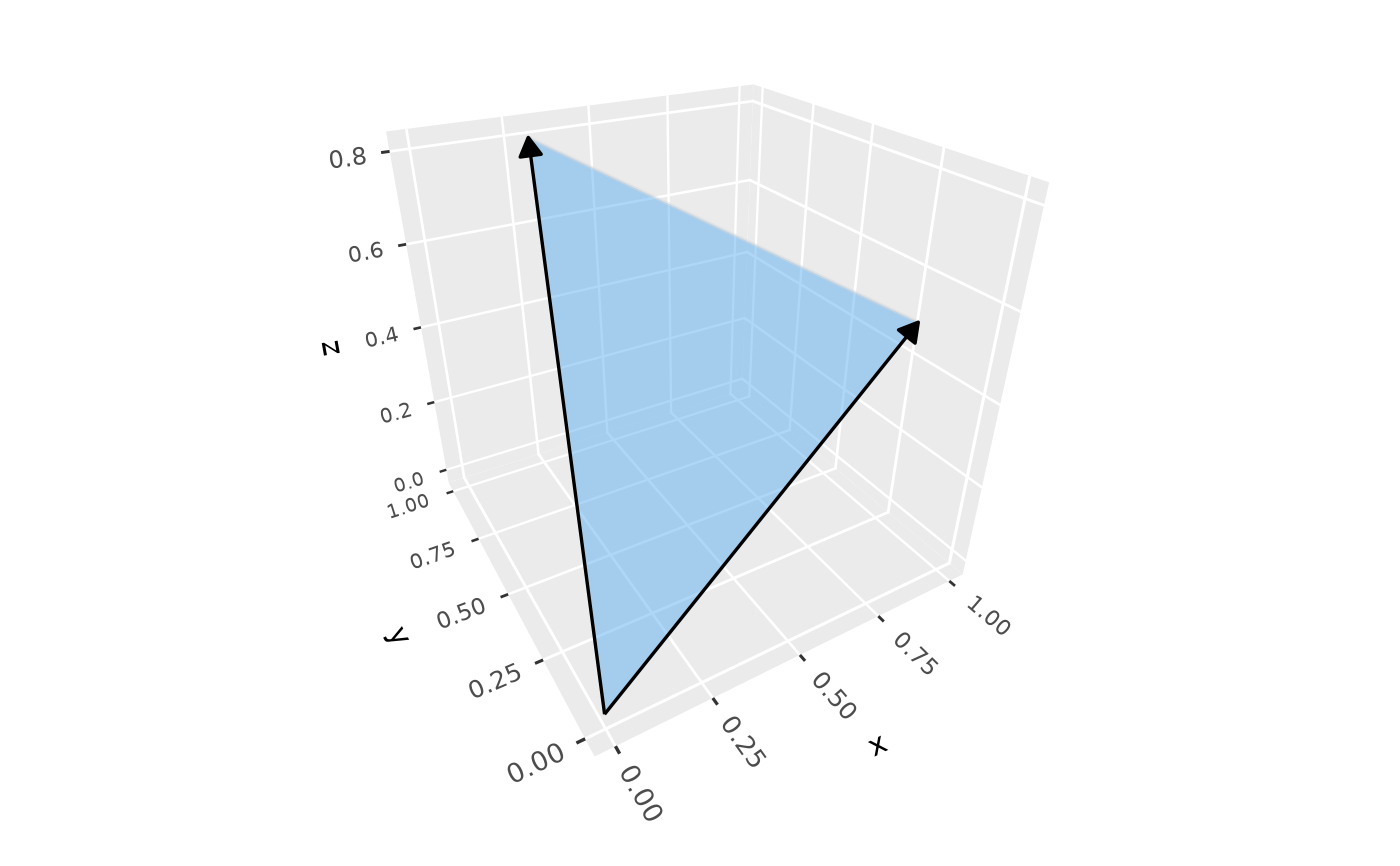
# A polygon: the triangle spanned by two vectors and the origin
u <- c(1, 0.2, 0.5); v <- c(0.3, 1, 0.8)
ggplot(data.frame(x = 0, y = 0, z = 0, xend = c(u[1], v[1]),
yend = c(u[2], v[2]), zend = c(u[3], v[3])),
aes(x, y, z, xend = xend, yend = yend, zend = zend)) +
geom_segment_3d(arrow = arrow(type = "closed", length = unit(8, "pt"))) +
annotate_3d("polygon", x = c(0, u[1], v[1]), y = c(0, u[2], v[2]),
z = c(0, u[3], v[3]), fill = "steelblue") +
coord_3d()
 # Axes through the origin, depth-sorted with a surface
ggplot() +
geom_function_3d(fun = function(x, y) (x^2 - y^2) / 2,
xlim = c(-1, 1), ylim = c(-1, 1), n = 20) +
annotate_3d("axes", linewidth = 0.8) +
coord_3d(panels = "none") +
theme_void()
# Axes through the origin, depth-sorted with a surface
ggplot() +
geom_function_3d(fun = function(x, y) (x^2 - y^2) / 2,
xlim = c(-1, 1), ylim = c(-1, 1), n = 20) +
annotate_3d("axes", linewidth = 0.8) +
coord_3d(panels = "none") +
theme_void()