
Creates a specification for camera-facing "billboard" text that will compute the appropriate facing direction for each label position.
Usage
camera_facing(
  coord = NULL,
  pitch = 0,
  roll = -60,
  yaw = -30,
  dist = 2,
  mode = c("plane", "point")
)
Arguments
- coord
Optional objected created by
coord_3d. If provided, coord parameters are drawn from this and thepitch,roll,yaw,distarguments are ignored.- pitch, roll, yaw
Rotation angles in degrees, matching the values you'll use in
coord_3d().- dist
Distance from viewer to center of the data cube, matching the value you'll use in
coord_3d(). Default is 2. Only used whenmode = "point".- mode
Character string specifying how labels should face the camera:
"plane"(default): All labels face parallel to the view plane, like billboards. This is typically easier to read."point": Each label faces toward the camera position. Labels at the edges will angle inward, giving perspective-correct orientation.
Value
A camera_facing_spec object to pass to the facing parameter
of geom_text_3d().
Details
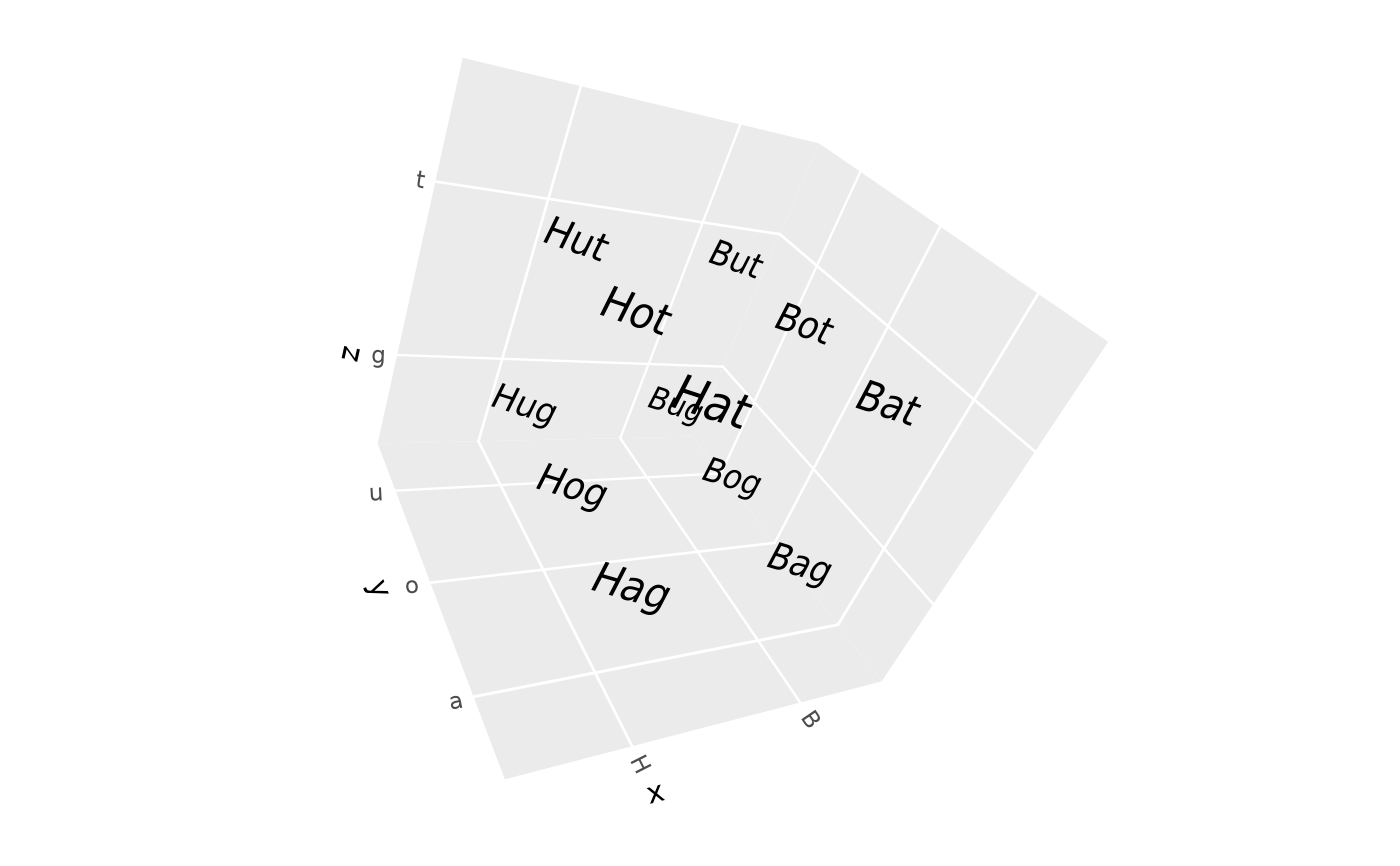
With mode = "plane", all text labels face the same direction (parallel
to the viewing plane), similar to traditional billboard rendering. This
produces clean, readable labels.
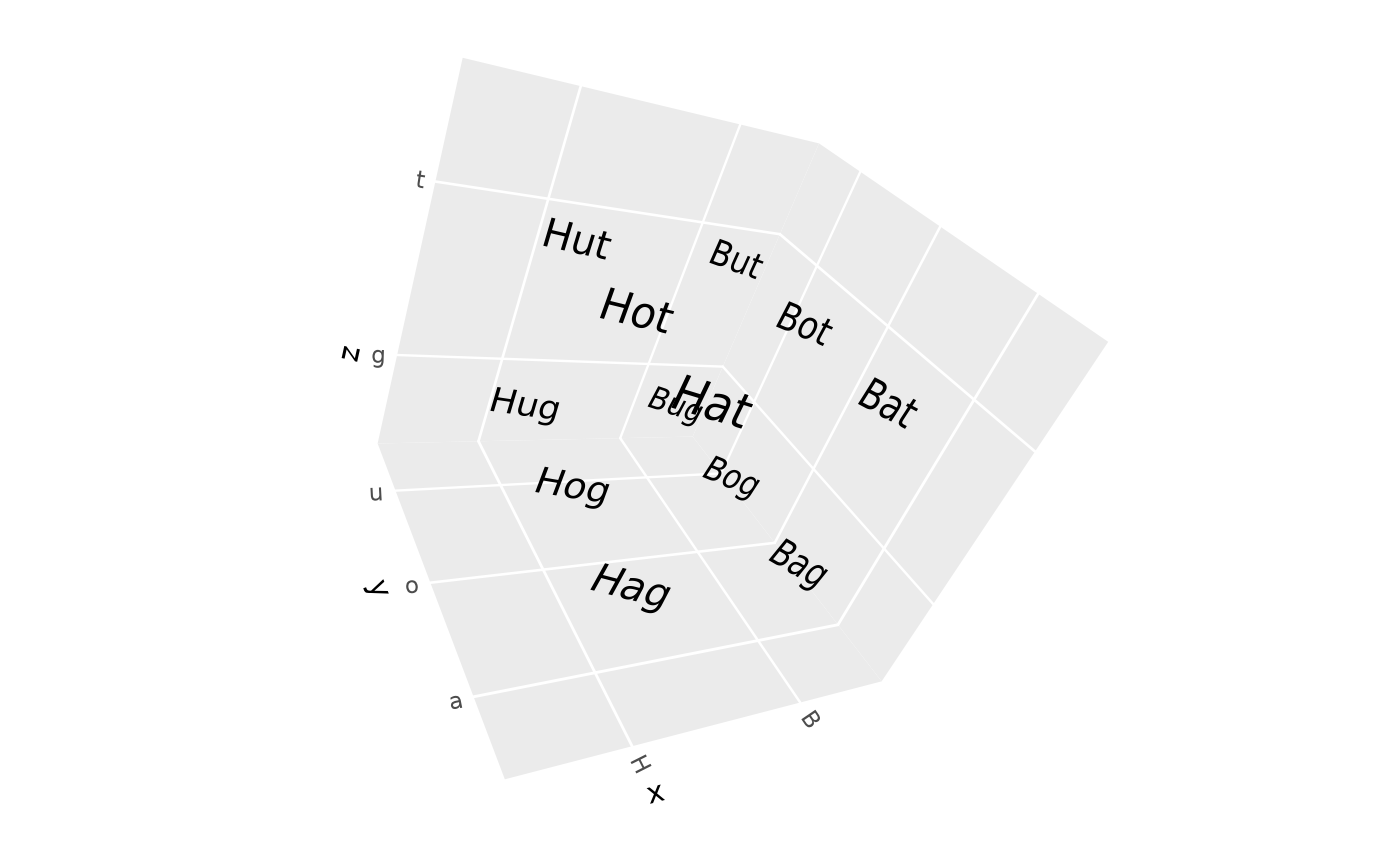
With mode = "point", each label faces directly toward the camera's
position in 3D space. Labels near the edges of the plot will angle inward,
which is geometrically correct but can look less clean.
Since geom_text_3d() computes vertex positions before the view is known,
you must specify the view parameters here and use the same values in
coord_3d().
See also
geom_text_3d() for rendering 3D text labels
Examples
# \donttest{
# Parallel billboard text (default) - all labels face same direction
df <- expand.grid(x = c("H", "B"), y = c("a", "o", "u"), z = c("g", "t"))
df$label <- paste0(df$x, df$y, df$z)
ggplot(df, aes(x, y, z = z, label = label)) +
geom_text_3d(method = "polygon",
facing = camera_facing(pitch = 20, roll = -60, yaw = -30)) +
coord_3d(pitch = 20, roll = -60, yaw = -30)
 # Point-facing text - labels angle toward camera position
ggplot(df, aes(x, y, z = z, label = label)) +
geom_text_3d(method = "polygon",
facing = camera_facing(pitch = 20, roll = -60, yaw = -30,
mode = "point")) +
coord_3d(pitch = 20, roll = -60, yaw = -30)
# Point-facing text - labels angle toward camera position
ggplot(df, aes(x, y, z = z, label = label)) +
geom_text_3d(method = "polygon",
facing = camera_facing(pitch = 20, roll = -60, yaw = -30,
mode = "point")) +
coord_3d(pitch = 20, roll = -60, yaw = -30)
 # }
# }